Salvo REMI
Your ATEM, in a browser, from anywhere.
REMI puts your ATEM in a browser. A Salvo Node on site talks to the switcher, and the operator switches cameras, runs keys and macros and watches the output from wherever they are.
Per workspace, with the REMI API as an option. Talk to us for a price.
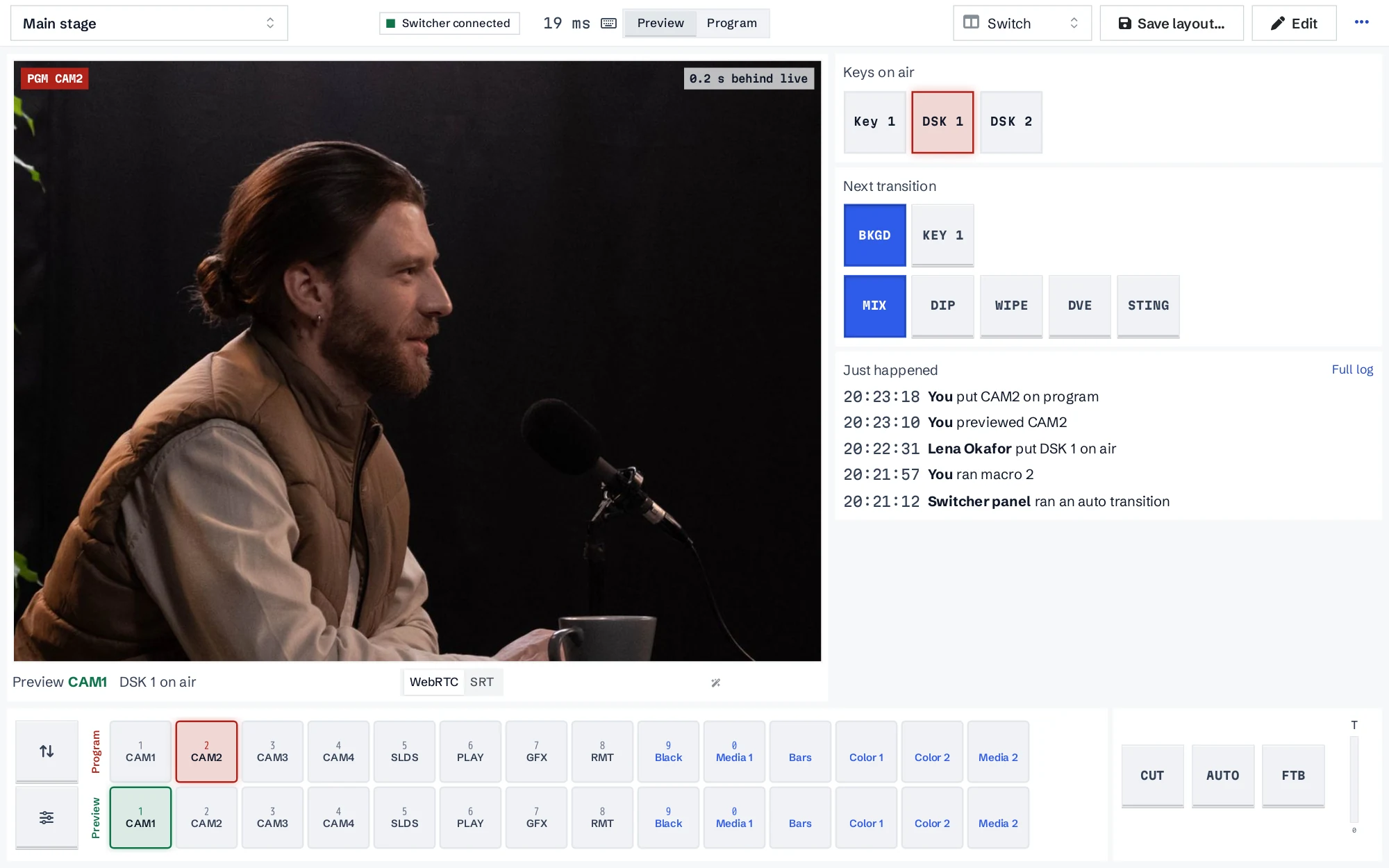
A full switcher panel, wherever the operator is
Switching
Program and preview rows, cut, auto and fade to black with a T-bar, next transition, keys on air, macros and an overview of every M/E. Number keys, space and enter work like a panel.
The rest of the switcher
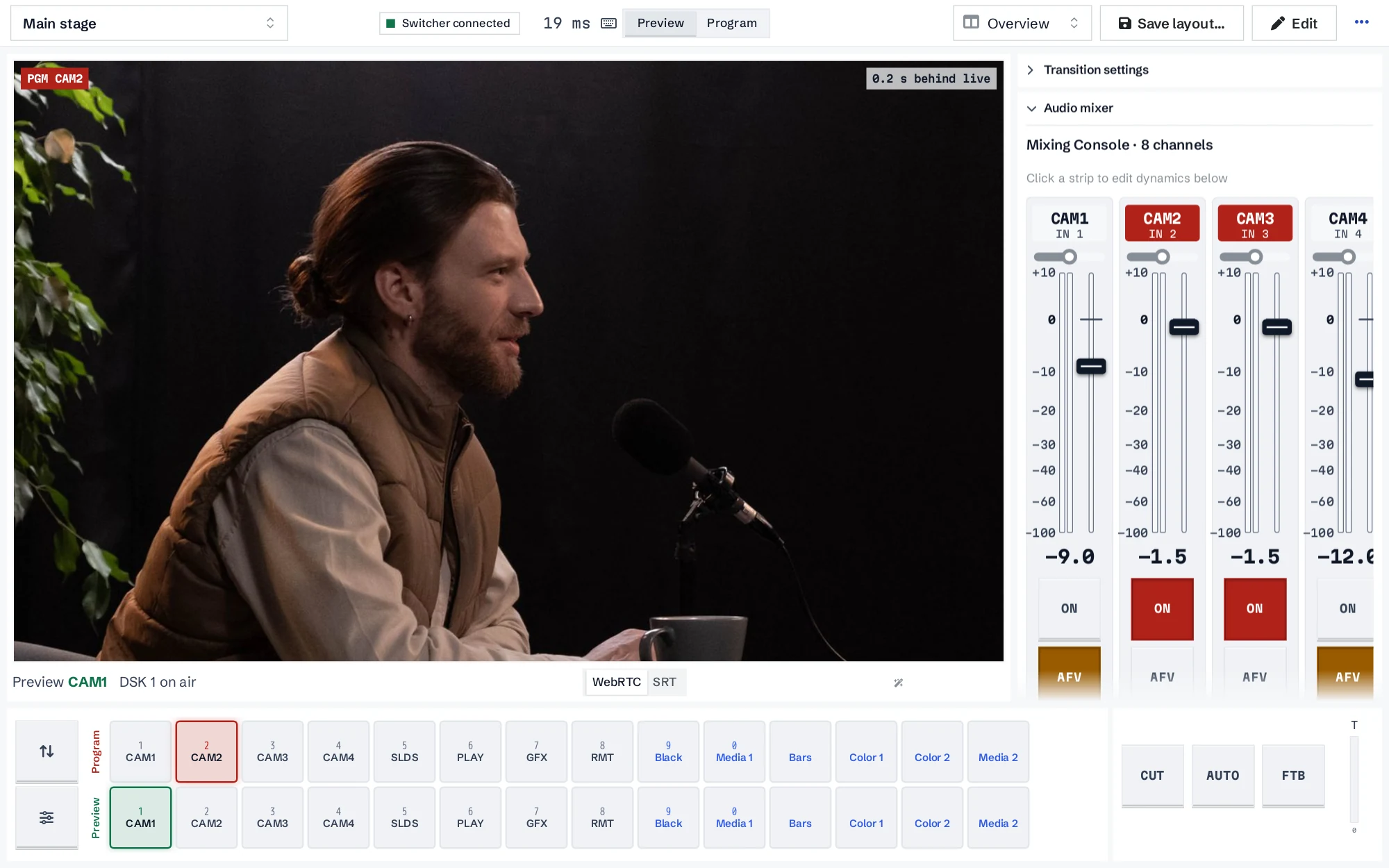
Upstream and downstream keys, SuperSource, aux and multiviewer routing, camera shading and PTZ, the classic or Fairlight audio mixer, HyperDecks, media players and stream and record.
Live program view
Watch the output in the browser over WebRTC, typically within half a second. A robust mode over SRT adapts to a weak uplink.
Tally and audit
A tally strip, a "just happened" panel and a log of every switcher action, so you know who did what.
Layouts for every role
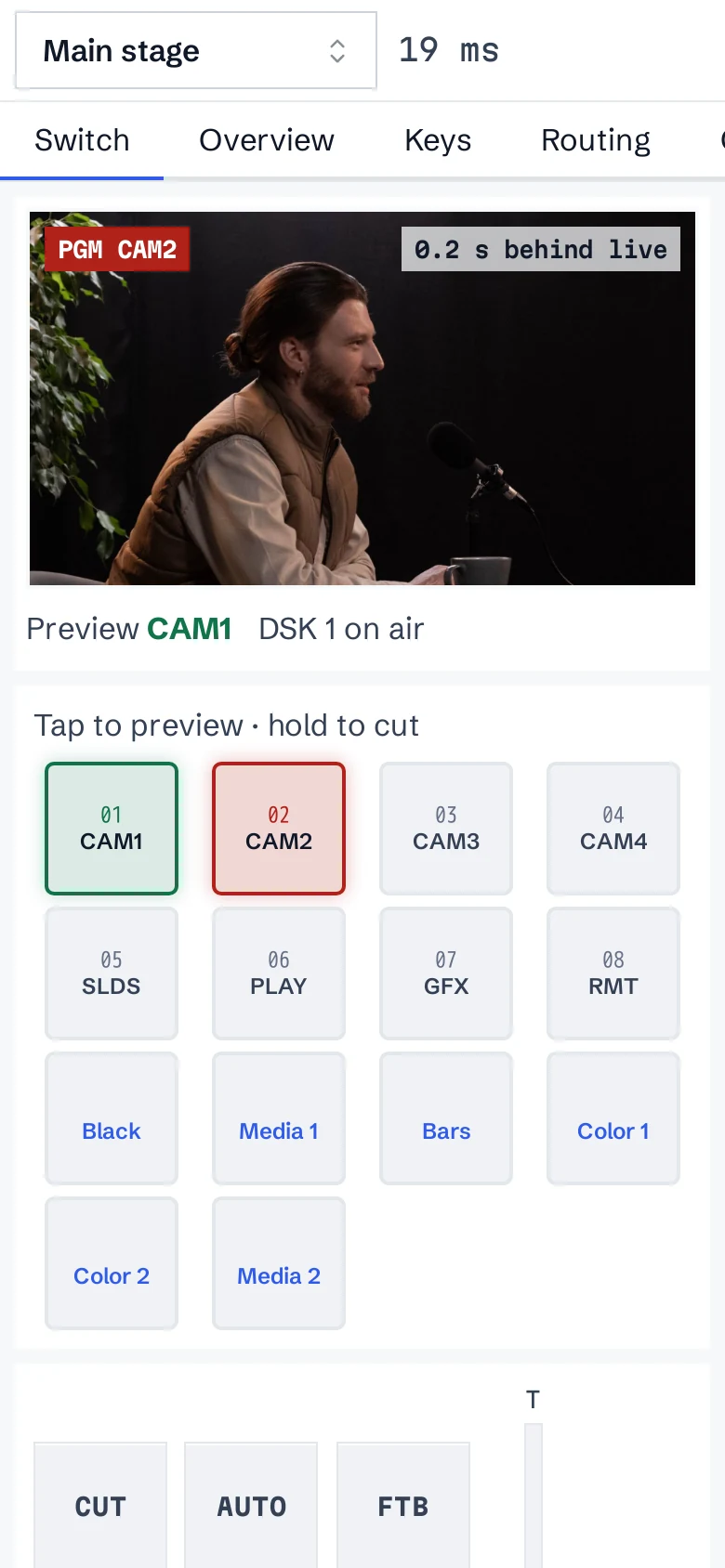
Built-in layouts for switching, keys, routing, cameras, audio, playback and setup. Make your own for yourself or the team, map buttons and keys per person, and switch from a phone with hold-to-cut.
REMI API and Companion
Workspace API keys with scopes, node limits and expiry, for switching, keys, macros, PTZ and recording. A Bitfocus Companion module puts it all on a Stream Deck, with tally feedback.
Good to know
- REMI talks to your switcher through a Salvo Node on site. The node connects out to Salvo, so nothing on site has to accept incoming connections.
- Panels the switcher doesn't have are marked as not available on that switcher.
- The Companion module (Companion 5 and up) is installed from a package we send you; it isn't in the Bitfocus store yet.
Plan your next show in ATEM Builder
It's free and it runs in your browser. When you want to run the show remotely, clip it live or stream it, tell us about it and we'll set up a Salvo workspace with you.