Set up the switcher
Name the inputs from the client's list, drop a picture on each camera, route the aux to SuperSource. Multiviewers, transitions and colours sit next to the layouts that use them.
Lay out keys and SuperSource over the client's graphics, set up the switcher, write macros and export it all for ATEM Software Control and Companion. In your browser, with your team, for free.
Built for the Constellation family, Television Studio HD8 and Production Studio 4K. Start from your own save or a template.
Name the inputs from the client's list, drop a picture on each camera, route the aux to SuperSource. Multiviewers, transitions and colours sit next to the layouts that use them.
Add an action, change a step's source and step through the macro while the mix plays on the monitors. No switcher needed until the show.
Your team edits the same show live and you can follow anyone to their layout. Mark a version ready, roll back, and send the client a read-only link.
Export a restore file for ATEM Software Control and macro files, and put your layouts on Stream Deck keys through Companion.
When the show is on, your team's Salvo workspace adds the apps for the show itself. We set it up with you and quote it per workspace.
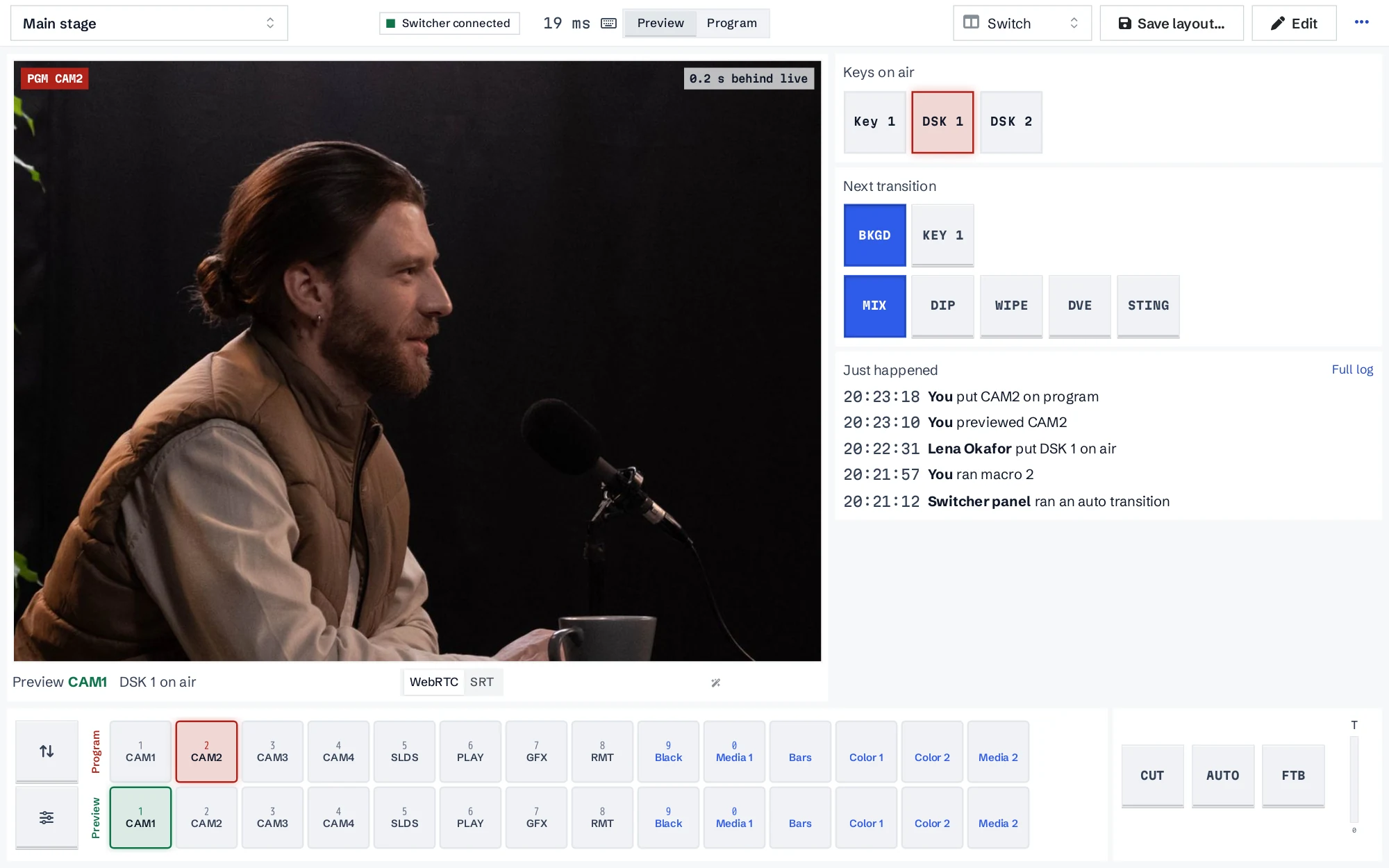
REMI puts your ATEM in a browser. A Salvo Node on site talks to the switcher, and the operator switches cameras, runs keys and macros and watches the output from wherever they are.
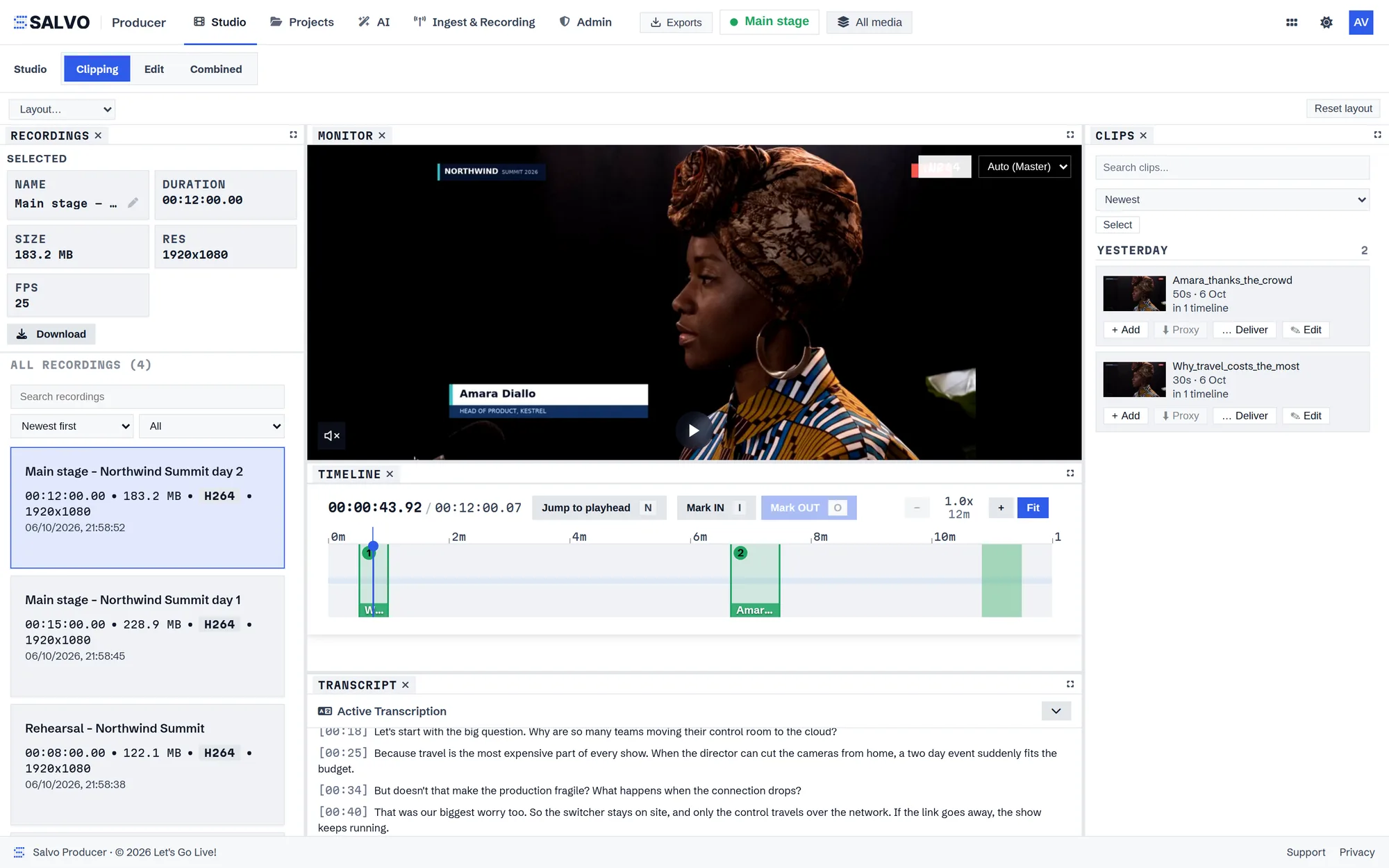
Producer is the editing room for a live show. Mark moments while it runs, cut them into clips on a timeline, add subtitles, reframe for every platform and deliver before the show is over.
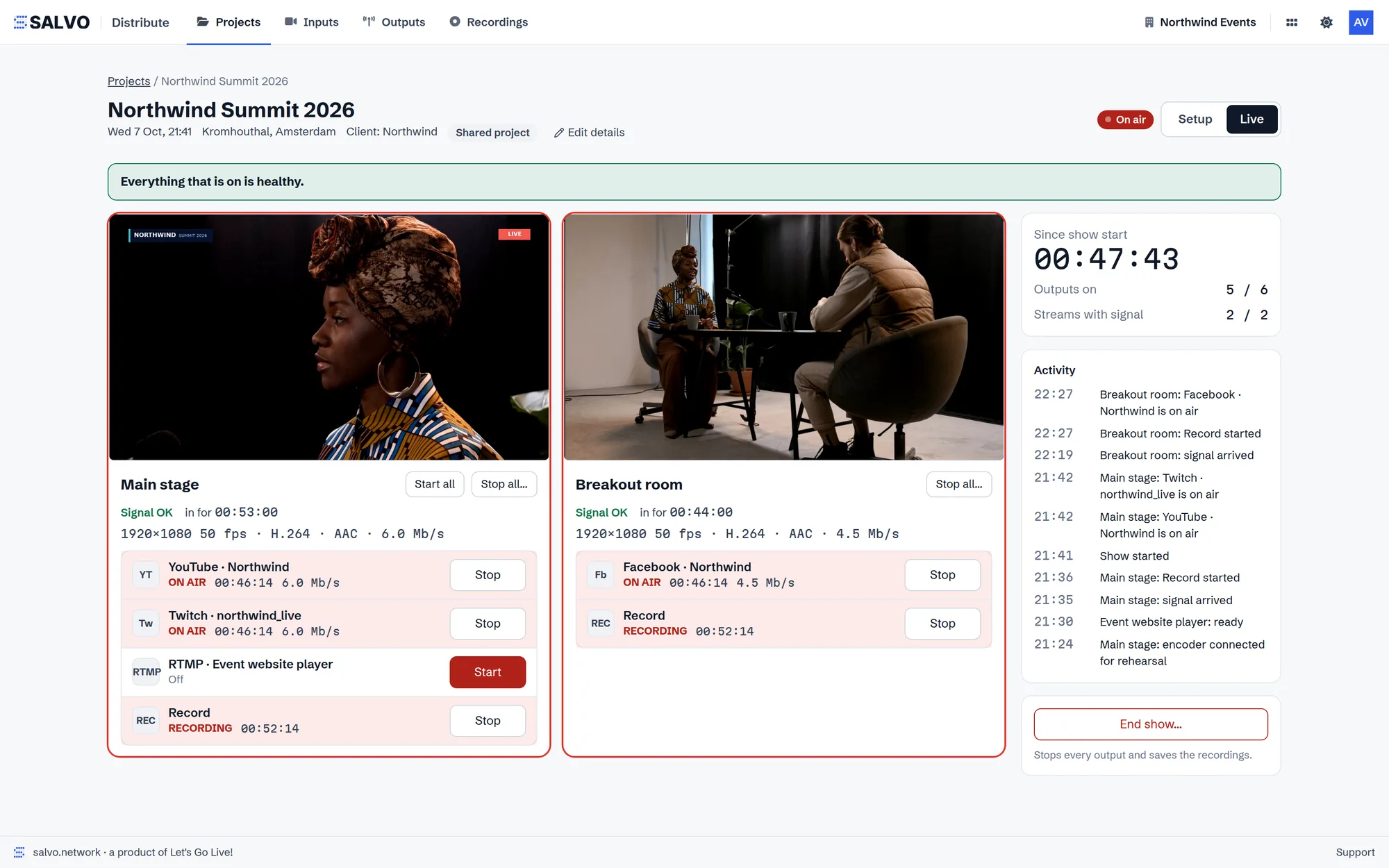
Distribute takes your feeds in, shows them as previews, records them and sends them on to every platform you stream to, all from one place in your workspace.
One workspace, from the first plan to the last file. Use one app, or let them hand work to each other.
It's free and it runs in your browser. When you want to run the show remotely, clip it live or stream it, tell us about it and we'll set up a Salvo workspace with you.